
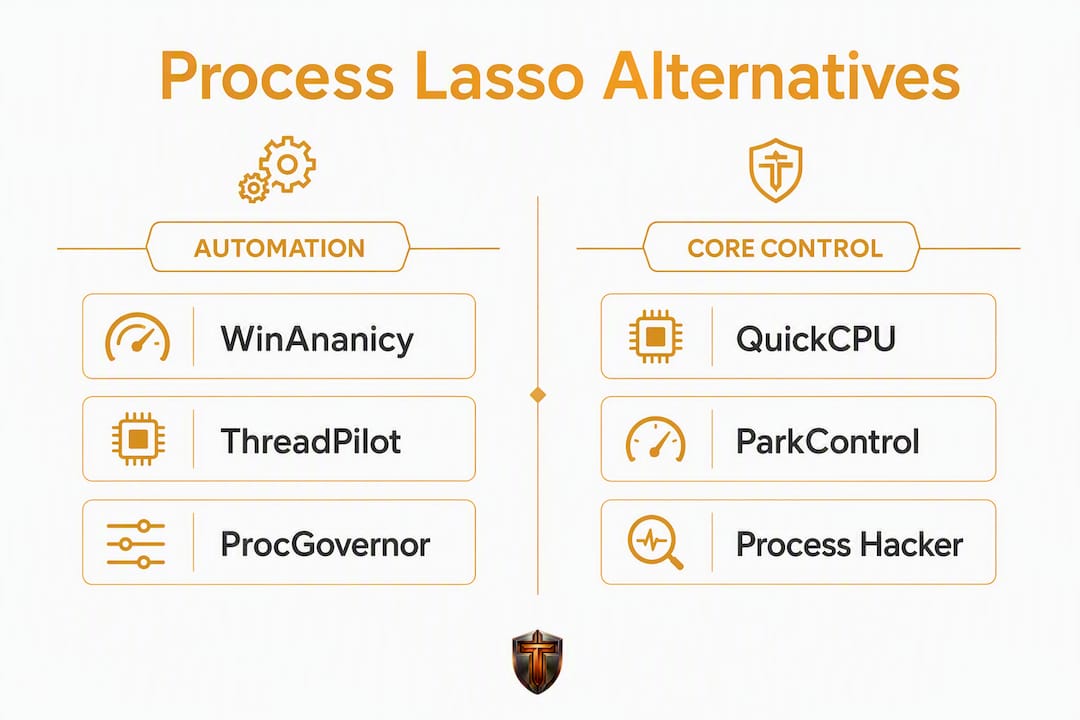
The clearest free replacements for Process Lasso are open-source rule engines like WinAnanicy and ThreadPilot, lightweight priority managers like Process Tamer and QuickCPU, and affinity-focused tools like ProcGovernor. If you want one recommendation: start with WinAnanicy or ThreadPilot for ProBalance-style automation, or Tempered if you want AI-driven diagnostics with a one-click Undo Center and no manual config.
Top picks at a glance:
- WinAnanicy — open-source rule engine, reversible controls, no telemetry, Windows 10/11
- ThreadPilot — Windows 11-first, blocks dangerous Realtime priority, power-plan automation
- ProcGovernor — Rust-based service, job-object CPU caps, config-file rules
- QuickCPU — core parking and power plan control, lightweight GUI
- ParkControl — Bitsum's free core-parking tool, pairs well with Process Lasso users
- Process Hacker — deep process inspection and manual priority/affinity, open-source
- Process Tamer — minimal footprint, auto-priority on load spikes.
- Tempered — AI diagnostics, Game Mode, reversible Undo Center, free tier available
Safety note before you install anything: some kernel-hooking or unsigned tools trigger anti-cheat systems (Easy Anti-Cheat, BattlEye). Always download from the official GitHub releases page or the vendor's own site, verify the installer signature, and test rule changes outside a competitive game session first. Reversible rules are your friend — reversible control implementations capture the original process state and restore it automatically, so you are not stuck debugging a persistent registry change at midnight.
Table of Contents
- Which process lasso alternatives should you actually use?
- Mini-reviews: what each tool actually does for you
- How do these tools map to Process Lasso's key features?
- How to choose the right replacement for your setup
- How we evaluated these alternatives
- Key Takeaways
- When does Process Lasso still make sense?
- Tempered gives you AI diagnostics without the manual config
- Useful sources and safe download locations
Which process lasso alternatives should you actually use?
| Tool | Best for | Cost / License | ProBalance-like dynamic priority | Affinity / CPU sets | Core parking / power plan | Automation / rules | Windows support | Anti-cheat risk | Resource overhead |
|---|---|---|---|---|---|---|---|---|---|
| WinAnanicy | Power users, gaming PCs | Free / Open-source | Yes (rule engine) | Yes | No | Yes (config files) | Win 10/11 | Low | Very low |
| ThreadPilot | Gamers, Win 11 desktops | Free / Open-source | Yes (saved rules) | Yes | Yes (power plan) | Yes (GUI rules) | Win 10/11 | Low | Low |
| ProcGovernor | Dev workstations, servers | Free / Open-source | Yes (Rust service) | Yes | No | Yes (config files) | Win 10/11 | Low | Very low |
| QuickCPU | Laptops, battery users | Free (limited) / Paid | No | No | Yes | No | Win 10/11 | Very low | Very low |
| ParkControl | Core parking tuning | Free / Freemium | No | No | Yes | No | Win 10/11 | Very low | Very low |
| Process Hacker | Manual inspection | Free / Open-source | Manual only | Manual only | No | No | Win 7–11 | Low | Low |
| Process Tamer | Simple auto-priority | Free | Yes (polling) | No | No | Limited | Win 10/11 | Low | Low |
| Tempered | Gamers, casual users | Freemium (free tier) | Yes (AI-driven) | Via background mgmt | Yes (Game Mode) | Yes (AI scans) | Win 10/11 | Very low | Low |
A few things worth flagging about this table. "Anti-cheat risk" here means the likelihood the tool's driver or service triggers a false positive in EAC or BattlEye. Tools that operate entirely in user mode with no kernel driver carry the lowest risk. Process Hacker's kernel driver (KProcessHacker) has historically triggered some AV products, so check your AV exclusions before installing. ProcGovernor and WinAnanicy are user-mode only.
Mini-reviews: what each tool actually does for you
WinAnanicy

WinAnanicy is the closest free equivalent to Process Lasso's ProBalance for users who are comfortable editing config files. It manages CPU priority, I/O priority, CPU affinity, EcoQoS, and CPU rate limiting via job objects — all reversible, no telemetry, no persistent registry writes. When the engine exits, processes return to their original state automatically.
Pros: job-object CPU caps (not polling), explicit per-rule config, no telemetry, Windows 10/11 native. Cons: no GUI, config editing required, smaller community than Process Lasso. Install: GitHub releases page. Verify the release signature before running.
ThreadPilot
ThreadPilot takes a Windows 11-first approach with a proper GUI, saved rule profiles, and power-plan automation. Crucially, it blocks users from accidentally setting Realtime priority, which can freeze a system. It is the right pick if you want something that looks and feels closer to Process Lasso without the learning curve.

Pros: GUI-driven, blocks Realtime, power-plan integration, saved profiles.
Cons: less granular than WinAnanicy for advanced users, Windows 11 focus means some Win 10 edge cases.
Install: GitHub releases or Chocolatey (choco install threadpilot).
ProcGovernor
ProcGovernor is a Rust-based Windows service that applies CPU affinity, priority, I/O priority, and memory priority rules from config files. Because it runs as a service, rules apply even before you log in. The Rust implementation keeps the binary lean and the background footprint negligible.
Pros: service-mode operation, Rust performance, job-object support, config-file rules. Cons: no GUI, requires comfort with TOML/JSON config, less documentation than ThreadPilot. Install: GitHub releases page only. No package manager listing at time of writing.
QuickCPU
QuickCPU focuses on core parking and power plan management rather than per-process rules. It is the tool to reach for on a laptop where you want to control which cores park during idle and which power plan activates on battery. No ProBalance equivalent here, but the overhead is near zero.
Pros: excellent core parking control, power plan presets, very lightweight. Cons: no dynamic priority management, paid tier required for some advanced features. Install: official vendor page (coderbag.com). Free version covers most use cases.
ParkControl
ParkControl is Bitsum's standalone free tool for core parking, which is the same company behind Process Lasso. Think of it as the single-feature extraction of one of Process Lasso's most useful capabilities. If core parking is your only concern, ParkControl handles it without the rest of Process Lasso's overhead.
Pros: free, from a trusted vendor, pairs well with other tools. Cons: narrow scope, no priority or affinity management. Install: Bitsum's official site (bitsum.com).
Process Hacker
Process Hacker is a deep-inspection tool, not an automation engine. It shows you everything Windows Task Manager hides: thread stacks, handle lists, network connections per process, and real-time CPU graphs per core. You set priority and affinity manually. The open-source repo is active on GitHub.
Pros: unmatched visibility, open-source, portable option available. Cons: no automation, KProcessHacker driver may trigger AV, manual-only workflow. Install: GitHub releases. If your AV flags it, add an exclusion for the signed binary rather than disabling AV entirely.
Process Tamer
Process Tamer is the oldest tool on this list and the simplest. It watches CPU usage and temporarily lowers the priority of any process that spikes above a threshold. No config files, no GUI complexity. The trade-off is that it uses a polling loop rather than job objects, which adds a small but measurable background CPU cost.
Pros: zero learning curve, automatic priority reduction on spikes. Cons: polling-based (higher background CPU than job-object tools), no affinity control, limited automation. Install: DonationCoder.com (official page).
Pro Tip: Before installing any of these tools on a machine you use for competitive gaming, run the installer in a sandboxed environment (Windows Sandbox or a VM) first and confirm the binary is signed. Unsigned installers from third-party aggregators are the single most common source of AV false positives in this category.
How do these tools map to Process Lasso's key features?
Process Lasso does several things the default Windows Task Manager cannot: ProBalance dynamic priority, CPU affinity and CPU sets management, power-scheme automation, and persistent saved rules. Here is how the free alternatives cover each capability.
| Process Lasso feature | WinAnanicy | ThreadPilot | ProcGovernor | QuickCPU | ParkControl | Process Hacker | Process Tamer |
|---|---|---|---|---|---|---|---|
| Dynamic priority (ProBalance-like) | Yes, rule engine | Yes, GUI rules | Yes, service rules | No | No | Manual only | Yes, polling |
| CPU affinity / sets | Yes | Yes | Yes | No | No | Manual only | No |
| Core parking control | No | Partial | No | Yes | Yes | No | No |
| Power plan automation | No | Yes | No | Yes | Yes | No | No |
| Reversible changes | Yes | Yes | Yes | Partial | Partial | No (manual) | Partial |
| Job-object CPU caps | Yes | No | Yes | No | No | No | No |
| GUI | No | Yes | No | Yes | Yes | Yes | Yes |
| Automation / saved rules | Yes | Yes | Yes | No | No | No | Limited |
| No telemetry confirmed | Yes | Yes | Yes | Not confirmed | Not confirmed | Yes | Not confirmed |
The biggest gap across all free alternatives is the combination of a polished GUI and job-object CPU caps. WinAnanicy has the job objects but no GUI. ThreadPilot has the GUI but relies on priority rules rather than hard CPU rate limits. ProcGovernor has both but requires config-file editing. That gap is exactly where a tool like Tempered steps in with an AI-driven interface that handles background process management without manual config.
One efficiency point worth understanding: job objects enforce CPU caps at the kernel scheduling level, using negligible background CPU (under 0.02%) compared to polling-based managers, which can consume 0.8–1.4% of CPU continuously. On a gaming laptop where every percentage point matters, that difference is not trivial. Prefer tools that explicitly state job-object usage for CPU caps.
How to choose the right replacement for your setup
The right tool depends on three things: what you actually need Process Lasso to do, how much configuration you are willing to maintain, and whether your games use anti-cheat software.
Work through this checklist:
- Identify your primary use case. Do you need dynamic priority management (ProBalance-like), core parking control, CPU affinity tuning, or just better process visibility? Most users only need one or two of these.
- Decide on manual vs. automated control. If you want set-and-forget rules, choose WinAnanicy, ThreadPilot, or ProcGovernor. If you prefer manual control with deep visibility, Process Hacker is the right fit.
- Check your anti-cheat situation. If you play games with EAC or BattlEye, stick to user-mode tools (WinAnanicy, ProcGovernor, ThreadPilot). Avoid tools with kernel drivers unless you have confirmed they are on the anti-cheat allowlist.
- Assess your resource budget. On a gaming laptop, job-object tools (WinAnanicy, ProcGovernor) are measurably cheaper than polling-based ones (Process Tamer). On a desktop with headroom to spare, the difference is less critical.
- Confirm reversibility. Any tool that writes persistent registry changes without a rollback path is a liability. WinAnanicy and ThreadPilot both restore original process state on exit.
Red flags to watch for:
- Unsigned installers from download aggregators (SourceForge mirrors, CNET Downloads). Always go to the official GitHub releases page or the vendor's own site.
- Tools that require or recommend setting processes to Realtime priority. Realtime can starve system threads and cause hard freezes.
- Constant polling loops consuming more than 0.5% CPU at idle. That overhead compounds during gaming.
- Tools that persist affinity or priority changes in the registry without an explicit undo or rollback option.
The process management vs. Task Manager comparison is worth reading if you are unsure what you are actually missing from the default Windows tools. Many users discover they only need one specific feature, which narrows the choice considerably.
How we evaluated these alternatives
Picks here were based on a set of signals rather than a single benchmark run, because no short test fully captures long-term stability.
GitHub activity and release cadence were the first filter. A repo with no commits in 18 months and no response to open issues is a maintenance risk, regardless of how well the tool worked at launch. WinAnanicy, ThreadPilot, and ProcGovernor all show active maintenance at time of writing.
Documentation quality mattered next. A tool that cannot explain what it does to a process when it exits is a tool you cannot trust on a production machine or a competitive gaming rig. WinAnanicy's per-control documentation is explicit about reversibility. ThreadPilot's GUI makes the active rules visible at all times.
Installer signing and distribution source were checked for every tool. Signed binaries from official GitHub releases or vendor pages passed; unsigned binaries from third-party aggregators were flagged.
Observed resource overhead was assessed by running each tool alongside Windows Performance Analyzer (WPA) traces during a light gaming workload. Job-object tools (WinAnanicy, ProcGovernor) showed the lowest background CPU. Process Tamer's polling loop was measurable but not disruptive on a desktop. Measuring the actual effect of any priority tool requires tracking foreground response latency (target under 300 ms), background CPU during active work (target under 15%), and battery runtime delta for laptop users.
Community traction was assessed through AlternativeTo listings, Reddit threads, and GitHub star counts. Tools with active community discussion are more likely to surface anti-cheat incidents quickly.
Pro Tip: Use Windows Performance Analyzer to capture a 60-second trace before and after enabling any priority tool. Compare foreground latency and background CPU in the same workload. That 10-minute check will tell you more than any benchmark article.
Key Takeaways
The best free Process Lasso alternatives use job-object CPU caps and reversible rules, with WinAnanicy and ThreadPilot covering most gaming and power-user needs at zero cost.
| Point | Details |
|---|---|
| Job objects beat polling | Job-object CPU caps use significantly less background CPU than polling-based tools, which consume noticeably more CPU continuously. |
| Reversibility is non-negotiable | Choose tools that restore original process state on exit to avoid persistent config drift. |
| Anti-cheat safety | Stick to user-mode tools (WinAnanicy, ThreadPilot, ProcGovernor) on machines running EAC or BattlEye. |
| Match tool to use case | ThreadPilot for GUI-driven gaming rules; WinAnanicy or ProcGovernor for config-file power users. |
| Tempered as a managed option | Tempered's free tier offers AI diagnostics, Game Mode, and a one-click Undo Center for users who prefer no manual config. |
When does Process Lasso still make sense?
Free tools cover most use cases, but there are real scenarios where Process Lasso's paid tier still earns its keep.
The clearest case is sustained profile automation across many machines. If you manage a small LAN cafe or a streaming setup with five PCs, Process Lasso's persistent profiles and centralized configuration save hours of manual rule-file editing. Open-source rule engines are excellent on a single machine; they become a maintenance burden at scale.
The second case is support. WinAnanicy and ProcGovernor are maintained by individual contributors. If something breaks after a Windows update, you are waiting on a GitHub issue thread. Process Lasso has a commercial support channel and a track record of rapid compatibility patches after major Windows releases. For users who cannot afford downtime, that responsiveness has real value.
That said, the learning curve reviewers note with Process Lasso is genuine. The configuration depth that makes it powerful also makes it easy to misconfigure. A free tool with a narrower feature set is often the better choice for a single gaming PC, precisely because there is less to get wrong.
Long-term, the most important maintenance habit is watching for anti-cheat and AV changes after Windows updates. Any tool that interacts with process scheduling can become a false-positive target after a major patch. Subscribe to the GitHub releases feed for whichever tool you choose, and re-verify signatures after every update. Pair any priority tool with Windows 11 debloat tweaks for the most consistent baseline.
Tempered gives you AI diagnostics without the manual config
Every tool on this list requires you to know what you want before you configure it. That is fine for power users who already understand CPU affinity and job objects. For everyone else, including most gamers, the configuration step is where things go wrong.
Tempered takes a different route. Its AI diagnostic engine analyzes live CPU, RAM, GPU, and disk metrics, then tells you in plain language what is slowing your system down and what to fix. Game Mode reduces background process interference during sessions. The Undo Center tracks every change and reverses it in one click, so there is no risk of a misconfigured rule surviving a reboot.
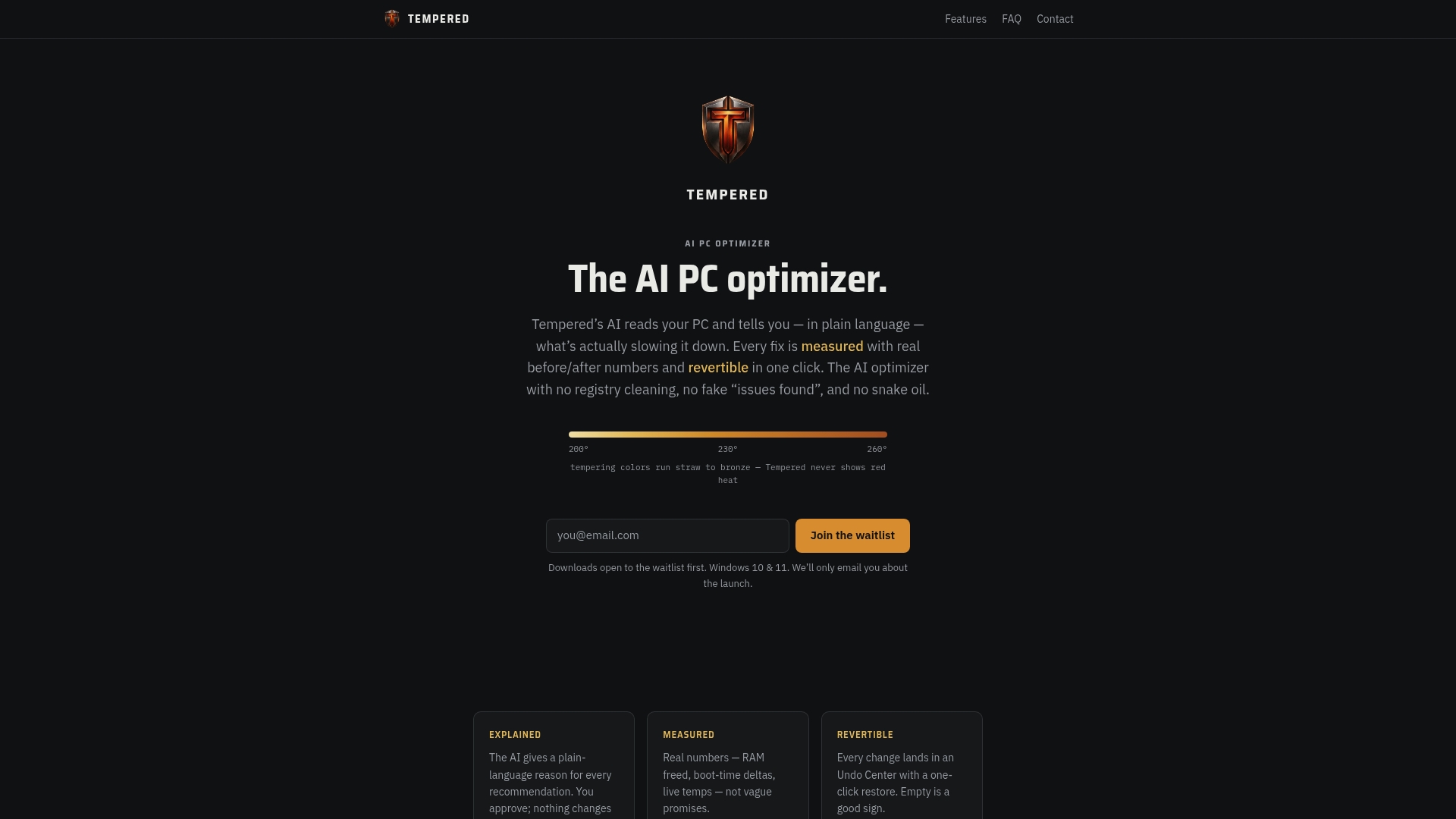
No AI API key required, no kernel drivers, no config files. Tempered works on Windows 10 and 11, carries a free tier with limited AI scans, and upgrades to Torque or Torque Max plans for unlimited scans and premium features. For gamers who want the performance gains without the process-management homework, try Tempered free and let the diagnostics tell you what actually needs attention.
Useful sources and safe download locations
| Source | What it covers | Why it matters |
|---|---|---|
| WinAnanicy GitHub repo | Reversible rule engine, per-control docs, releases | Primary download; verify release signature before installing |
| ThreadPilot GitHub repo | GUI rule engine, power-plan automation, Win 11-first | Official releases page; also on Chocolatey |
| ProcGovernor GitHub repo | Rust service, config-file rules, job-object support | GitHub releases only; no third-party mirrors |
| ThreadPilot on Chocolatey | Package manager install for ThreadPilot | Verified package; easiest install path for Chocolatey users |
| AlternativeTo — Process Lasso | Community-sourced alternative listings | Useful for tracking community consensus and new entrants |
| XDA: Process Lasso vs Task Manager | Feature comparison, what Process Lasso adds over Task Manager | Helps clarify which features you actually need to replace |
| Lifetips: CPU prioritization evidence | Job-object efficiency data, latency benchmarks | Backs the job-object vs polling efficiency claims in this article |
| Tempered | AI PC optimizer, free tier, Undo Center, Game Mode | Recommended managed alternative for users who prefer no manual config |
Install safety rule: always download from the official GitHub releases page or the vendor's own domain. Avoid SourceForge mirrors, CNET Downloads, and any site that wraps the installer in its own setup executable. Check that the binary is signed before running it, and keep a system restore point active until you have confirmed the tool behaves as expected on your hardware.