
The best CCleaner alternatives for Windows in 2026 are privacy-first, transparent, and built for modern systems. If you're ready to move on from CCleaner, here are the top options worth your time:
- FluentCleaner — Free, open-source, no telemetry, no ads. Built for Windows 11 with a native WinUI 3 interface. Scans complete in under 30 seconds and skips registry cleaning entirely. The standout pick for privacy-conscious users in 2026.
- Microsoft PC Manager — The official Microsoft cleanup tool for daily maintenance. No registry cleaning, no third-party risks. Free and deeply integrated with Windows 10 and 11.
- BleachBit — Open-source, cross-platform, and scriptable. No telemetry, no bundled software. Supports secure file shredding and command-line automation.
- Glary Utilities — All-in-one suite with a registry cleaner, startup manager, and privacy tools. Free tier covers most users.
- Revo Uninstaller — Specialized in deep uninstalls that remove leftover files and registry traces. Hunter Mode is genuinely useful.
- Ashampoo WinOptimizer — Feature-heavy suite with over 35 modules including defragmentation and startup management. Paid, but competitively priced.
- PrivaZer — Deep privacy cleaning with drive-wiping capabilities. Targets digital traces most cleaners miss.
- Iolo System Mechanic — Automated tune-up with malware protection and internet speed tools bundled in.
- Avast Cleanup Premium — Aggressive performance cleaning with a modern interface. Subscription-based.
- Auslogics BoostSpeed — Broad optimization suite covering junk removal, registry repair, and disk defragmentation.
Why are users leaving CCleaner? Microsoft Defender now flags CCleaner as a Potentially Unwanted Application, citing risky registry cleaning and bundled components. A 2017 security breach compromised the installer and affected millions of users before it was caught. The current owner, Gen Digital, has expanded CCleaner into a paid suite far removed from the focused utility it once was. For users who want clean, inspectable tools without the baggage, the options above are a genuine upgrade.
The best CCleaner alternatives compared: features, privacy, and pricing
Every tool below has been evaluated on key functions, privacy stance, pricing, ease of use, and update activity. The list covers the full range from free open-source utilities to paid suites, so you can match the right tool to your actual needs.
| Tool | Key Functions | Privacy & Telemetry | Pricing | Best For |
|---|---|---|---|---|
| FluentCleaner | Cache, temp files, browser clutter, GPU shader caches | No telemetry, no ads, MIT open-source | Free | Privacy-first Windows 11 users |
| Microsoft PC Manager | Health checks, junk cleanup, startup management | No registry cleaning, Microsoft-backed | Free | Safe daily maintenance |
| BleachBit | Cache, temp files, secure shredding, CLI automation | No telemetry, fully open-source | Free | Advanced users, Linux/Windows |
| Glary Utilities | Registry cleaner, startup manager, privacy tools, one-click maintenance | Freemium; some telemetry in free tier | Free / ~$20–$40/year (Pro) | All-in-one casual users |
| Revo Uninstaller | Deep uninstall, Hunter Mode, leftover scan, batch removal | Proprietary; no known data collection | Free / $24.95–$29.99 (Pro) | Thorough app removal |
| Ashampoo WinOptimizer | 35+ modules, defrag, startup manager, optimization profiles | Proprietary; account required for some features | Paid, pricing varies | Power users wanting full suites |
| PrivaZer | Privacy trace removal, drive wiping, deep scan | Privacy-focused; no telemetry claimed | Free / paid version available | Privacy-conscious users |
| Iolo System Mechanic | Junk removal, malware protection, internet speed tools | Proprietary; subscription model | Subscription-based | Automated all-in-one maintenance |
| Avast Cleanup Premium | Junk removal, bloat cleanup, startup optimization | Owned by Gen Digital; some data collection | $30–$60/year | Aggressive performance cleaning |
| Auslogics BoostSpeed | Junk removal, registry repair, defrag, disk cleanup | Proprietary; ad-supported free tier | Free / paid plans | Broad optimization needs |
| Wise Disk Cleaner | Disk cleanup, defrag, system slim | Low telemetry claimed | Free | Simple disk cleanup |
| O&O Defrag | Disk defragmentation, cleanup options | Proprietary | Free (basic) / paid | Defrag-focused users |
| TreeSize Free | Disk space visualization, folder size analysis | No telemetry | Free | Finding large files visually |
| SpaceSniffer | Visual disk space map, file size analysis | No telemetry | Free | Visual storage analysis |
| Restoro | System repair, malware detection, junk cleanup | Proprietary; cloud-based repair | Paid subscription | System health repair |
| IObit Advanced SystemCare | Junk removal, registry fix, real-time boost | Proprietary; some telemetry reported | Free / paid | Casual all-in-one users |
| — | Registry cleaner, file finder, system info | Proprietary | Paid | Registry-focused power users |
| System Ninja | Junk removal, startup manager, process viewer | Proprietary | Free | Lightweight quick cleanup |
| TweakPower | System tweaks, junk removal, startup control | Proprietary | Free | Windows tweaking enthusiasts |
| Reg Organizer | Registry editing, cleanup, defrag | Proprietary | Paid | Advanced registry management |
| Clean Master for PC | Junk removal, RAM boost, large file finder | Proprietary; some telemetry | Free | Casual users wanting simplicity |
| Uninstall Tool | Fast uninstall, startup manager, real-time monitor | Proprietary | Paid | Clean app removal |
| Ace Utilities | Registry cleaner, disk cleaner, startup manager | Proprietary | Paid | General system maintenance |
| FCleaner | Basic junk and cache removal | Proprietary | Free | Minimal, lightweight cleanup |
| Registry Repair | Registry scanning and repair | Proprietary | Free | Registry-only cleaning |
| Registry Cleaner | Registry scanning, error fixing | Proprietary | Free / paid | Registry maintenance |
| Eusing Free Registry Cleaner | Registry scan and fix | Proprietary | Free | Basic registry cleanup |
| TweakNow RegCleaner | Registry cleaning and optimization | Proprietary | Free | Registry-focused users |
| DiskMax | Disk cleanup, junk removal | Proprietary | Free | Simple disk space recovery |
| System Cleaner | General junk and cache removal | Proprietary | Free / paid | Basic system maintenance |
| WMaster Cleanup | Junk file removal for Windows 11 | Proprietary | Free | Minimalist Windows 11 cleanup |
| Argente Utilities | Registry cleaner, disk cleaner, startup tools | Proprietary | Free | Basic all-in-one maintenance |
| Comodo System Cleaner | Registry, disk, and privacy cleaning | Proprietary | Free | Security-focused users |
| Clean Space | Junk removal, privacy cleaning | Proprietary | Free / paid | Privacy-aware casual users |
| SDelete | Secure file deletion via command line | Microsoft tool, no telemetry | Free | Secure permanent file deletion |
| SpyHunter | Malware removal, junk cleanup | Proprietary; subscription | Paid subscription | Malware-focused cleanup |
| CleanMyMac X | Full Mac system cleanup | macOS only | Paid | Mac users (not Windows) |
| PC Manager | Lightweight cleanup and health check | Proprietary | Free | Quick daily maintenance |
A few entries deserve more than a table row.
FluentCleaner targets exactly the right directories: Microsoft Edge, Chrome, Firefox, Windows %TEMP%, Visual Studio NuGet caches, and Intel/NVIDIA shader caches. It never touches the registry, and every cleaning rule is inspectable before you delete anything. The AI explanation feature uses a Groq API key to describe what individual entries do in plain English, so you decide, not the software. It cleaned a significant amount of junk from a test PC on its first run, which tells you how much modern Windows accumulates without you noticing.
BleachBit earns its reputation through what it refuses to do. It isn't a registry cleaner, which is exactly why security-aware users trust it. Secure shredding is free, not paywalled. Full command-line automation makes it practical for anyone managing multiple machines.

Revo Uninstaller's Hunter Mode works differently from anything else on this list. You drag a crosshair onto any running application's window, and Revo identifies and removes every associated file, folder, and registry entry. The free version handles most uninstall jobs; the Pro edition adds real-time installation monitoring and batch processing.
CleanMyMac X is macOS only and has no Windows version. It appears in many "CCleaner alternatives" roundups but is not a viable option for Windows users.
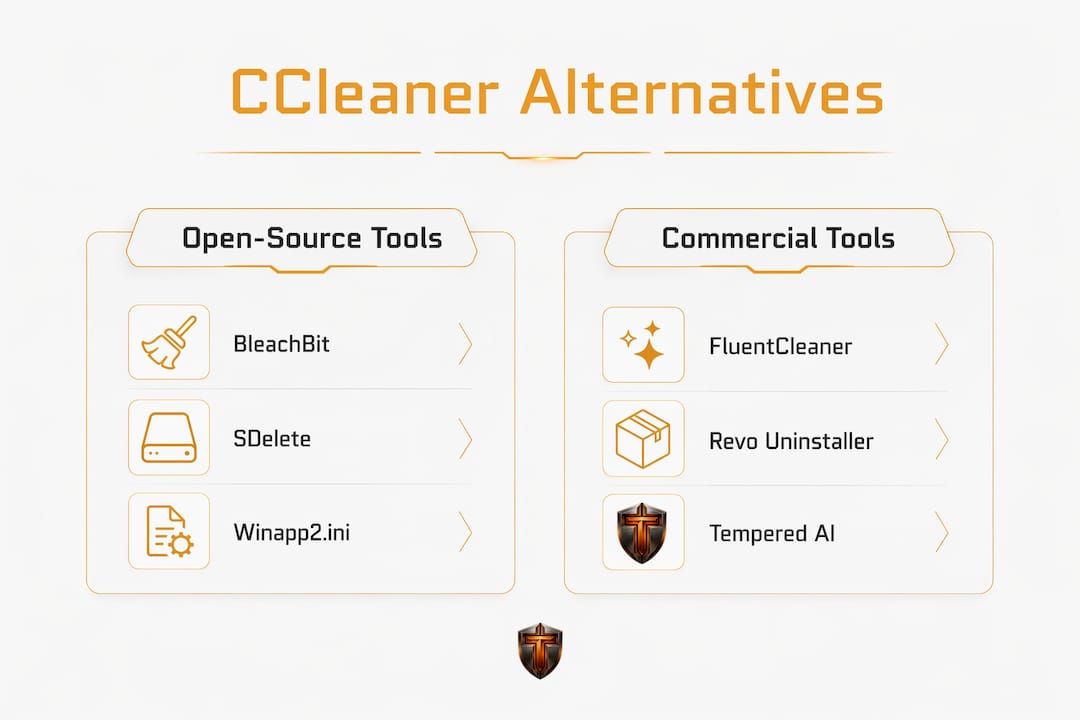
SDelete is a Microsoft Sysinternals command-line tool for secure file deletion. It does one thing: overwrites files so they cannot be recovered. No GUI, no junk scanning, no registry tools. Right for the job it does, wrong for everything else on this list.
Pro Tip: Before running any cleaner, enable Windows Storage Sense under Settings > System > Storage. It handles routine temp file removal automatically and safely, reducing how much you need third-party tools at all.
How to choose the right CCleaner alternative for your PC
The single most important question is whether you actually need a registry cleaner. Registry cleaning is widely considered outdated and risky; modern Windows 10 and 11 recover gracefully from leftover registry entries, and a wrong deletion can break applications. If a tool leads with its registry cleaning as a selling point, treat that as a caution flag, not a feature.
Here's what actually matters when picking a tool:
- Privacy and telemetry. Check whether the tool is open-source and auditable, or proprietary with unclear data practices. FluentCleaner and BleachBit publish their source code. Most paid suites do not.
- What it cleans. Temp files, browser caches, and app leftovers are safe targets. Registry cleaning and "system optimization" tweaks carry real risk. Know the difference before you run anything.
- Windows version compatibility. FluentCleaner requires Windows 10 build 19041 or later and the Windows App SDK 2.0.1 runtime. Microsoft PC Manager targets Windows 10 (19042.0 and above) and Windows 11. Most tools on this list support both, but verify before installing.
- Free vs. paid. BleachBit, FluentCleaner, Microsoft PC Manager, TreeSize Free, and SpaceSniffer are fully free. Revo Uninstaller, Glary Utilities, and Wise Disk Cleaner offer capable free tiers with paid upgrades. Avast Cleanup Premium, Iolo System Mechanic, and Restoro require subscriptions.
- Portable mode. FluentCleaner runs as a portable .exe with no installer. That means no registry traces from the cleaner itself, and you can run it from a USB drive. BleachBit also offers a portable version.
- Update activity. Check the developer's GitHub or changelog. FluentCleaner's latest release, 26.07.02, dropped on July 15, 2026. Active commits signal that the tool keeps pace with Windows updates.
- Built-in alternatives first. Windows 11's Storage Sense automates routine cleanup without any third-party risk. For finding large files, TreeSize Free or SpaceSniffer give you a visual map so you can delete manually with full control.
- Run diagnostics before cleaning. If your PC feels slow, a cleaner probably isn't the fix. Check CPU, RAM, and disk usage first. A machine bottlenecked by a failing drive or thermal throttling won't benefit from removing temp files.
The tools that use community-maintained Winapp2.ini databases give you something most closed-source cleaners can't: visible rules you can read before anything gets deleted. That's the standard worth holding every tool to.
Why the PC optimization landscape shifted away from legacy cleaners
The shift isn't subtle. Microsoft's security stance since 2018 has been consistent: aggressive registry cleaners cause more harm than they prevent, and Windows doesn't need them. That position didn't come from nowhere. It came from watching tools like CCleaner delete registry entries that broke applications, then watching users blame Windows for the instability.
"The important question is not how many gigabytes a tool claims to find, but whether it explains what those files are, shows what it plans to remove, and still gives you the final say." — MakeUseOf review of FluentCleaner, 2026
Open-source tools have filled the gap that legacy cleaners left. Users now prefer seeing the exact rules a cleaner will apply before it touches anything. FluentCleaner exposes every FileKey, RegKey, and detection instruction for each entry. BleachBit has operated this way since 2008. The contrast with closed-source suites that run automated "optimization" routines without explanation is stark.
Windows 11's built-in Storage Sense handles what most users actually need: automatic removal of temp files, old downloads, and Windows Update leftovers. For anything beyond that, targeted tools beat generic cleaners. TreeSize Free and SpaceSniffer show you exactly where your storage went. Revo Uninstaller removes apps completely. FluentCleaner clears application-specific caches that Storage Sense misses.
The community-maintained Winapp2.ini database is worth understanding. It's a crowd-sourced file that maps thousands of applications to their specific cache and temp locations. FluentCleaner and BleachBit both support it. CCleaner version 7 dropped compatibility with Winapp2, which is one reason power users migrated. The database gets updated by contributors who actually use the software, not a vendor's internal team with a monetization agenda.
Modern PC performance tuning favors diagnostic tools that identify real bottlenecks over generic cleanup utilities. A machine that's slow because of thermal throttling, a fragmented HDD, or too many startup programs won't get faster from clearing browser caches. Knowing how to monitor CPU temperature and track live hardware metrics gives you a clearer picture of what's actually limiting your system than any junk file count ever will. For a broader look at speeding up a slow PC without replacing hardware, the diagnostic approach consistently outperforms the cleanup approach.
Tempered gives you a different kind of PC optimization
Most of the tools compared above clean files. Tempered does something different: it reads your hardware in real time and tells you what's actually holding your PC back.


If you're a gamer or a casual user who wants better performance without digging through settings, Tempered's AI diagnostic tool analyzes live CPU, RAM, GPU, and disk metrics, then gives you plain-language recommendations you can act on immediately. Every change it suggests is reversible through a one-click Undo Center, so there's no guesswork and no risk of breaking something. Game Mode, startup customization, and background process management are all built in. No technical knowledge required, and no AI API key to configure.
Where traditional cleaners remove files and hope for the best, Tempered identifies the specific bottleneck first. That's a fundamentally more useful starting point for anyone who actually wants their PC to run better, not just have fewer temp files.
Key Takeaways
The strongest CCleaner alternatives in 2026 are open-source, telemetry-free tools that show you exactly what they plan to remove before touching anything on your system.
| Point | Details |
|---|---|
| Registry cleaning is risky | Microsoft flags aggressive registry cleaners as potentially unwanted; modern Windows doesn't need them. |
| Open-source tools lead on privacy | FluentCleaner and BleachBit publish their source code, making every cleaning rule auditable before deletion. |
| Built-in tools cover the basics | Windows 11 Storage Sense automates routine cleanup safely, reducing reliance on third-party apps. |
| Diagnostics beat generic cleaning | Identifying real bottlenecks like CPU throttling or RAM pressure delivers more performance gain than clearing temp files. |
| Tempered for hardware-level insight | Tempered's AI diagnostic tool analyzes live hardware metrics and recommends specific fixes, with every change reversible. |