
Finding a PC optimization tool that shows actual performance improvements without risking hidden changes or system instability is harder than many Windows users expect. Many options either make irreversible edits or apply silent tweaks that lead to instability and messy manual cleanup. This guide compares price, safety controls, and transparency so Windows users can match one to their needs and risk tolerance.
Table of Contents
Tempered
At a Glance
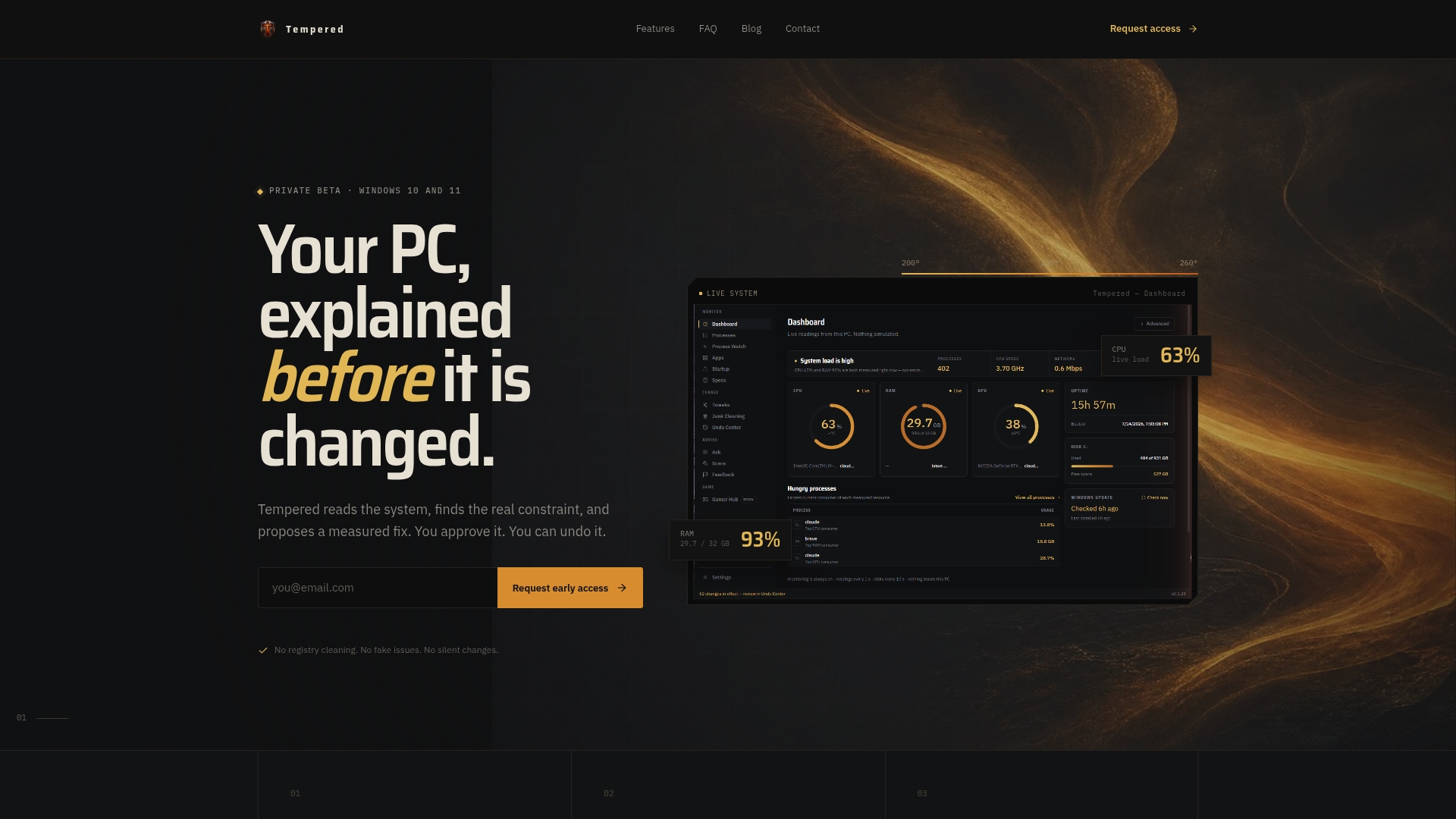
Tempered reports live CPU, RAM, GPU, and network readings and maps problems to specific, measurable fixes. The app requires your approval before it changes anything and tracks every change in an Undo Center. You can start using it free without creating an account on 64-bit Windows 10 and 11.
Core Features
Tempered displays a live system dashboard that surfaces resource bottlenecks in plain English and links each finding to a measurable Delta based fix rather than a vague score. The app includes process control, system scans, and an Undo Center that records and reverts changes so you can test adjustments safely. An AI assistant appears on paid plans Torque and Torque Max to suggest deeper analysis and command execution.
Key Differentiator
Tempered centers its workflow on observable system metrics and reversible, user approved fixes instead of registry cleaning or silent modifications. Every proposed change lists the expected measurable Delta so you can compare before and after readings. That explicit focus on transparency makes changes testable and accountable.
Pros
Tempered surfaces precise system telemetry so you see which process or resource causes slowdowns. Changes require explicit user approval and remain reversible via the Undo Center, which keeps a clear ledger of what changed and when. The tool avoids registry cleaning and silent tweaks, and the free, no account start option helps you evaluate it quickly on 64-bit Windows 10 and 11.
Cons
- Some advanced AI features and automated command execution are locked behind paid plans Torque and Torque Max.
Who It's For
Tech savvy Windows users who want measurable tuning without risking hidden system edits will get the most value. Gamers and people who run demanding apps will appreciate live readings tied to concrete fixes. Administrators who need a testable change log can roll back adjustments without restoring full backups.
Unique Value Proposition
You can run Tempered for free and start diagnosing your system without registering an account. That remove friction accelerates troubleshooting and reduces the barrier to try measurable fixes on 64-bit Windows 10 and 11. For teams or power users who need deeper AI assistance, the paid tiers add automated scans and command suggestions.
Real World Use Case
A player with long startup times loads Tempered, spots a startup service consuming CPU, and applies a suggested Delta fix that reduces CPU load during boot. After a few runs the player reverts one setting via the Undo Center and keeps the rest. The result is faster startup without guesswork.
Pricing
Tempered offers a free tier with core diagnostics and manual fixes. Paid tiers include Torque at $5.99/month and Torque Max at $12.99/month, which add advanced scans and the AI assistant features. The free option makes initial testing risk free before upgrading.
Website: https://tempered.to
Hone
At a Glance
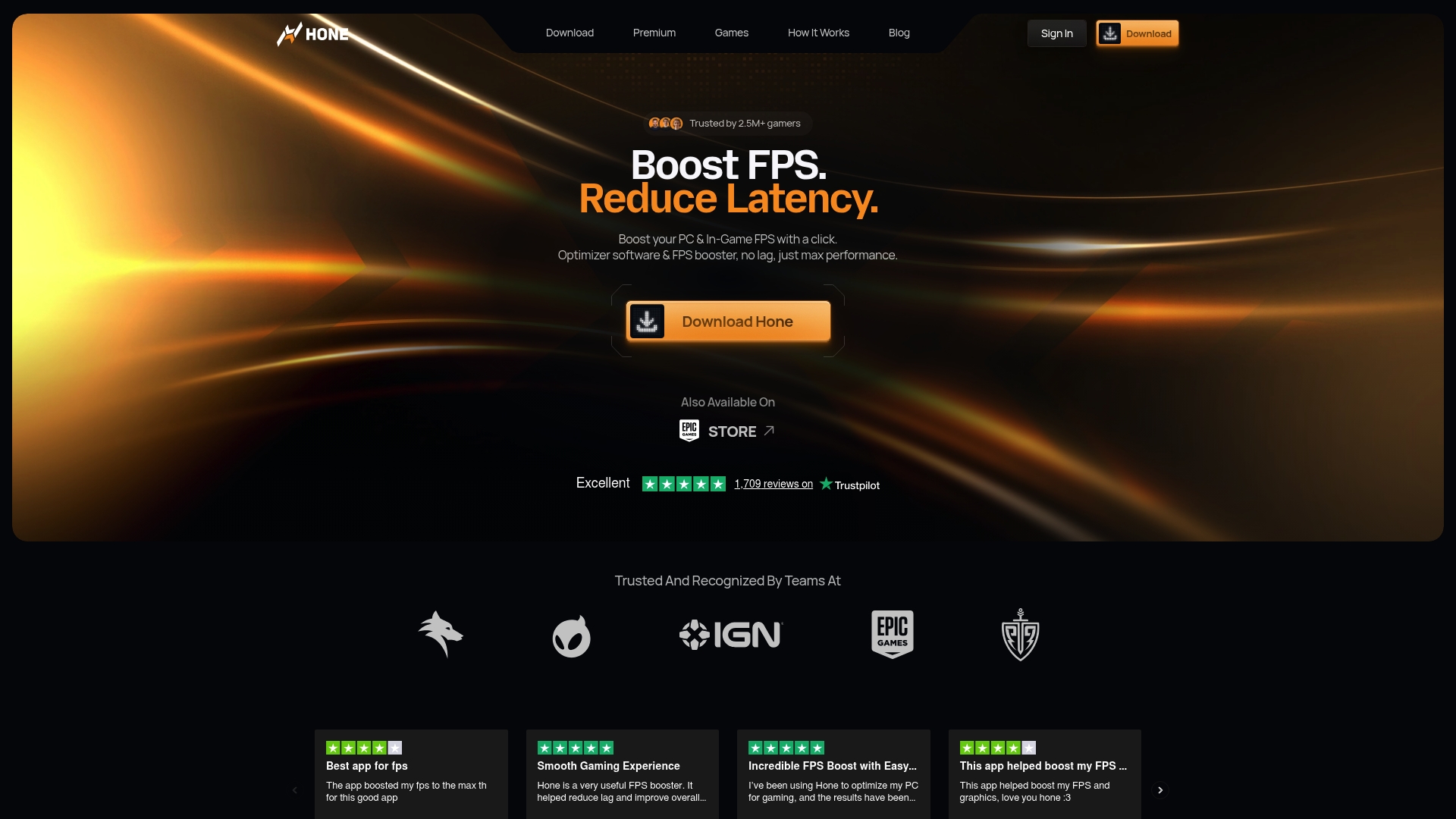
Hone supports more than 100,000 game titles and applies game specific settings automatically. Hone reports it is trusted by over 2.5 million users. The vendor advertises a 4.8-star Trustpilot rating from more than 1,700 reviews. These claims position the tool as a gaming-first optimizer with wide coverage.
Core Features
Hone performs automatic system wide optimizations across Windows, GPU, and game settings and keeps those changes applied after you exit a game. It offers a single click setup, real time system health monitoring, and background bloat removal to reduce needless processes. The app comes with both a free plan and a premium subscription for added custom tweaks and game configs.
Key Differentiator
Hone focuses on persistent, system wide adjustments that remain active outside of the game session. That persistence separates it from tools that only change settings temporarily. The combination of persistent changes and a massive title library targets gamers who want low maintenance, continuous performance tuning.
Pros
Users report improved frame rates and lower input lag on lower end machines, making older systems more playable. The interface is clear and approachable for gamers who do not want deep technical setup. Community channels and responsive support add value for players who want quick guidance. Persistent optimizations reduce the need to reapply changes each session, and the title support covers most mainstream and niche games.
Cons
- May cause system instability or software freezing on some configurations. Users list intermittent crashes linked to these persistent tweaks.
- Some setups show no noticeable performance gains. Results vary by hardware and game.
- A few users reported unresponsive customer support. That affects recovery when problems occur.
- Uninstallation can be difficult for some users. Manual cleanup may be required.
When It May Not Fit
If you run tightly tuned custom profiles or overclocked setups, persistent automated changes can conflict with your configuration. Competitive players who use specialized tuning suites may find overlap with existing tools. Systems that already run at peak performance are less likely to see meaningful improvements and may risk stability issues.
Who It's For
Hone fits gamers who want measurable FPS and latency improvements without hardware purchases. It suits beginners who prefer a single click workflow and casual players who want steady, applied optimizations. People who rely on stable, unchanged system profiles may find it less appropriate.
Real World Use Case
A professional Fortnite player used Hone to stabilize frame delivery, lower input lag, and keep game specific settings consistent across matches. The persistent changes removed the need to reapply tweaks before events. That saved time and reduced configuration errors during tournament play.
Pricing
Hone offers a free plan with ten permanent optimizations and referral based upgrades. The premium subscription costs $5.99/month, with a discounted yearly option available. The tiers focus on additional custom tweaks and expanded game configs.
Website: https://hone.gg
eclean
At a Glance
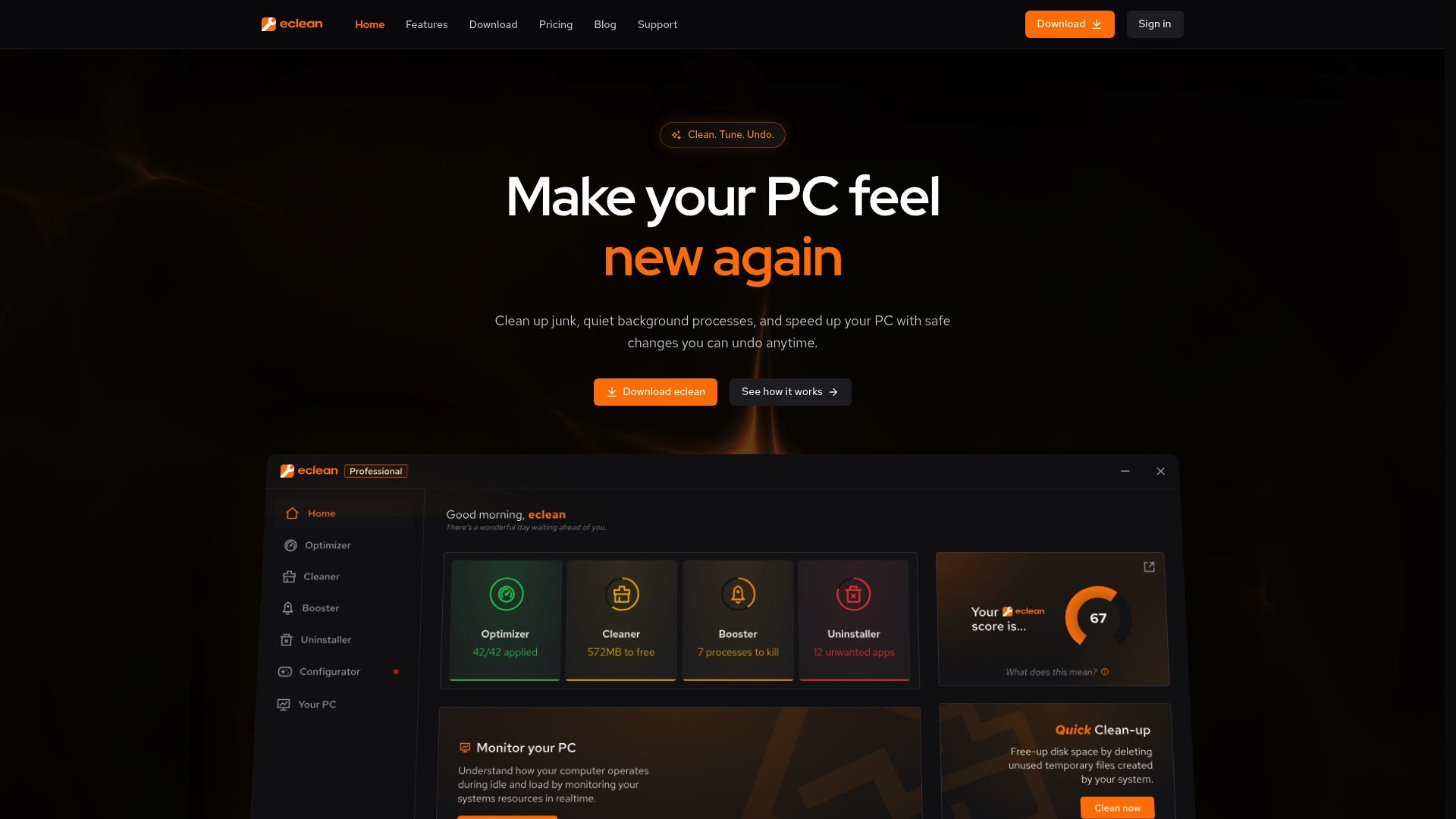
Reversible Windows tweaks come with review and undo options, and the app pairs that with live sensor monitoring while keeping tracking to a minimum. The product emphasizes user privacy and clear warnings before any system change. That combination reduces risk when you make performance adjustments on a daily driver.
Core Features
eclean bundles an Optimizer for fine tuning Windows settings, a Cleaner for junk and large file removal, and a Booster to manage startup programs, services, and DNS settings. The app also includes Your PC for detailed hardware specs and live sensors, plus an Uninstaller that removes leftover files with confidence scoring. Those tools work together to free disk space and reduce background activity without deep technical setup.
Key Differentiator
What sets this app apart is its emphasis on fully reversible changes plus explicit warnings before each tweak. The development team highlights privacy by minimizing tracking and avoiding ads. That focus makes the tool suitable for users who want control without sacrificing safety or transparency.
Pros
Safe, reversible actions reduce the risk of accidental misconfiguration because every tweak offers a review step and undo option. The interface groups maintenance tasks clearly, which speeds cleanup and startup management for gamers and workstation users. Real-time hardware monitoring helps catch thermal or resource issues early, and the product avoids intrusive tracking and ads to respect user privacy.
Cons
- Third-party reviews from independent sources are not available, making it hard to confirm long term effectiveness.
- Limited information exists on actual performance impact from broad user populations, so outcomes may vary by system.
- No community or third-party benchmarking data is referenced, which leaves power users without comparative metrics.
When It May Not Fit
If you run macOS or Linux, this tool will not work because it targets Windows only. Teams that require public benchmarks or community-sourced validation will find the available review evidence thin. Enterprises needing audited third-party performance studies should look elsewhere.
Who It's For
Windows users who want straightforward maintenance and safer performance tuning will get value from this tool. It fits casual users, gamers, and creative professionals who prefer clear warnings and an undo option over aggressive automated changes. Privacy minded individuals will also appreciate the minimal tracking stance.
Real World Use Case
A gamer with slow startup and persistent background tasks uses the Cleaner to remove temp files and the Booster to disable unnecessary startup programs. They monitor CPU and GPU temps in Your PC while applying a recommended tweak, then reverse the change when it causes an instability. The result is a cleaner disk and a smoother gaming session.
Pricing
The vendor directs visitors to view plans on the official site. The listing shows a free tier alongside paid plans, and paid options are presented as site-based tiers rather than hourly or per-device licensing. Exact tier features and prices are available on the website.
Website: https://eclean.gg
CCleaner
At a Glance
Cleans cloud storage across Google Drive, OneDrive, and Dropbox while removing local junk and temporary files. CCleaner supports Windows, Mac, Android, and iOS and runs scheduled automatic maintenance. Users value the simple controls that make routine cleanup quick and repeatable.
Core Features
It combines disk space cleanup, browser privacy tools, driver updating, and basic hardware information into one app. Performance tools stop background apps, free RAM, and schedule automatic cleanups while running quietly. Cloud storage cleaning scans Google Drive, OneDrive, and Dropbox for temporary and duplicate files.
Key Differentiator
The main strength is a highly approachable interface that puts maintenance controls within easy reach for nontechnical people. That focus favors home users and small IT teams who want predictable cleanup without training. It lacks continuous hardware telemetry and the Undo Center that Tempered provides, so it serves a narrower operational need.
Pros
The interface is intuitive, so typical users can clear temporary files and browser traces without a learning curve. Cross platform availability and scheduled maintenance fit mixed Windows and Mac environments. Paid tiers add driver updates and business management tools, including centralized deployment for small fleets.
Cons
- Aggressive upselling interrupts routine maintenance with frequent pop ups and upgrade prompts.
- Some modern builds have caused system slowdowns on affected machines.
- There are reported concerns about invasive data collection practices.
- Customer support quality is uneven, with reports of slow or inadequate responses.
When It May Not Fit
Avoid CCleaner if you need continuous, high resolution hardware telemetry or per change rollback capabilities. The advertising and upsell framework make it a poor fit for locked down managed fleets where interruptions must not occur. Large enterprises will likely require centralized, auditable endpoint management beyond what this product lists.
Who It's For
Home users who want a fast way to reclaim disk space and tidy browsers will find the controls simple. Small to medium IT teams can use scheduled runs and driver updates to reduce routine maintenance time. People who prefer a GUI over command line tools and accept occasional upsell prompts will get the most value.
Real World Use Case
A small office sets daily scheduled cleanups and driver updates to keep staff machines responsive. IT runs cloud file sweeps on shared Google Drive accounts to remove duplicates and free storage. That setup reduces manual housekeeping and frees IT time for higher priority tasks.
Pricing
A free tier handles basic cleanup and privacy tools. Paid plans start at GBP 44.95 for CCleaner Professional, with Pro Plus and Business editions available. Business editions include centralized controls and deployment features tailored for multiple machines.
Website: https://ccleaner.com
System Mechanic Ultimate Defense
At a Glance
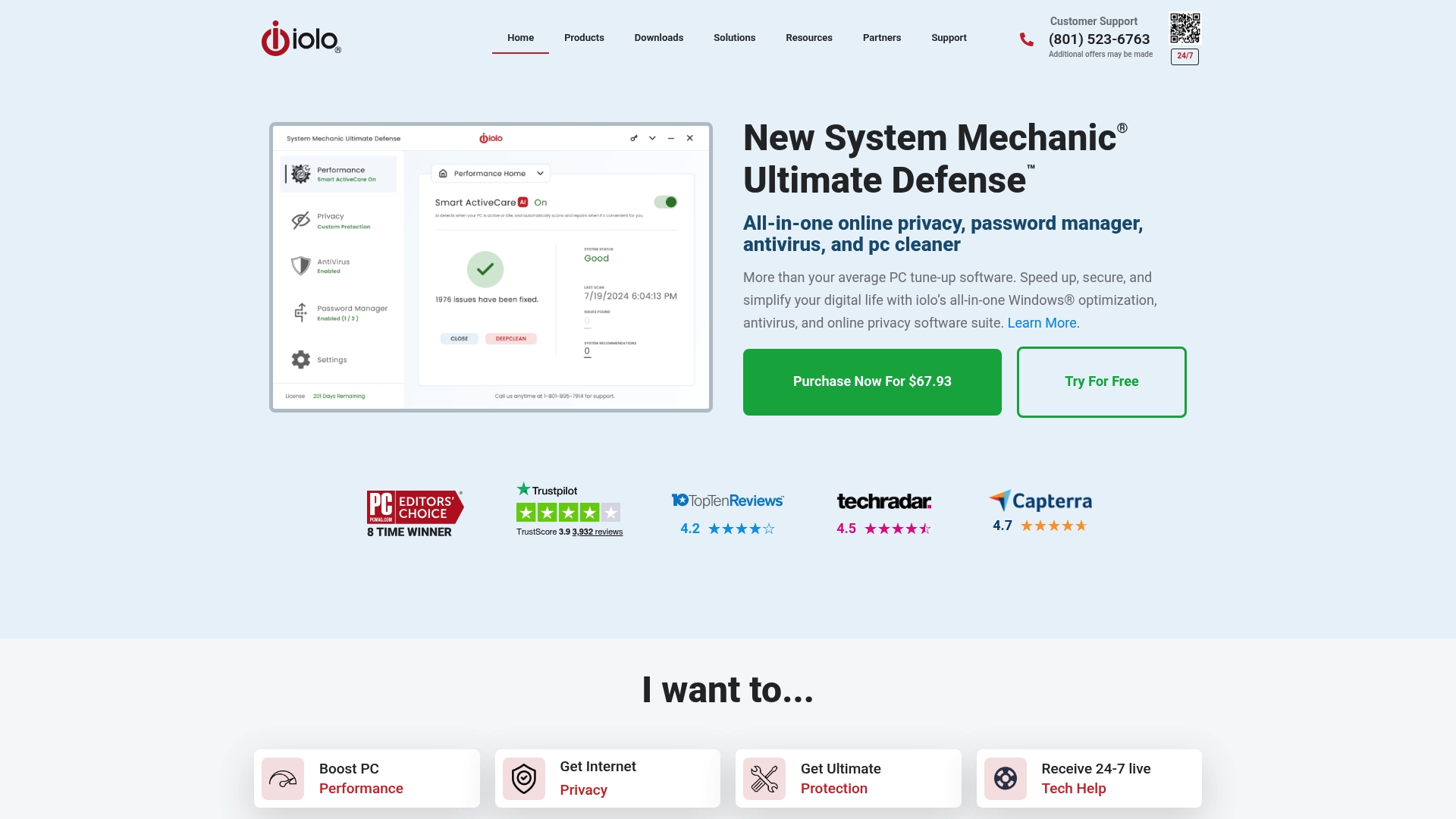
Includes unlimited licenses for multiple PCs. It bundles PC cleanup, privacy, password management, and built in antivirus into one Windows suite. The vendor advertises PC Magazine's Editors’ Choice and a strong user satisfaction rating.
Core Features
System Mechanic Ultimate Defense combines cleanup and repair utilities with security and privacy tools. Key tools include a PC cleaner, repair modules, a password manager, online privacy protection, and built in antivirus and malware removal. It also includes internet speed tools such as speed boost and unpark cores to improve responsiveness on some systems.
Key Differentiator
The standout is the single package that covers maintenance, security, privacy, and password management. Unlimited licensing for multiple PCs makes it practical for households or small offices that want one purchase for many machines. That licensing model separates it from single seat alternatives.
Pros
The suite is effective at fixing system errors and cleaning accumulated clutter, which often restores boot and application responsiveness. Live technical support is available 24/7 for troubleshooting and guidance, and unlimited licenses reduce per device cost in multi PC homes. Those recognitions show up in published reviews and influence its reputation among reviewers.
Cons
- Some third party reviews report aggressive renewal practices and persistent marketing emails that frustrate users.
- Some users report problems with uninstallation and occasional software freezing during maintenance tasks.
- The suite can conflict with other security tools and cause system instability on some setups.
When It May Not Fit
Avoid this suite if you want a minimalist antivirus that runs without configuration. Some features require technical knowledge to use effectively, such as repair modules and unpark cores. If you already run multiple overlapping security tools, the suite may conflict and complicate stability.
Who It's For
Home users and small business owners who prefer one purchase for maintenance, privacy, and security across many machines will get the most value. It suits owners who are comfortable using deeper repair features or who can call support when needed. Casual users who expect totally passive antivirus behavior may find it more involved than simpler tools.
Real World Use Case
A gamer installs the suite to clean their PC, remove malware, and boost internet responsiveness for online matches. They use the password manager for account security and call live support when a tool flags a conflict. Unlimited licensing lets them install the package on a secondary rig and a family laptop.
Pricing
Promotional price listed at 69.93 USD. Regular pricing may vary and the final cost can change with promotions. Check the checkout for current offers and renewal terms.
Website: https://iolo.com
Comparing PC Diagnostic and Optimization Solutions
Choosing the right tool depends on transparency, functionality, and compatibility with your system needs, particularly when seeking measurable and reversible fixes.
| Product | Key Differentiator | Best For | Pricing | Notable Limitation |
|---|---|---|---|---|
| Tempered | Observable metrics and reversible, user-approved fixes | Tech-savvy Windows users and gamers | Free, $5.99/mo Torque, $12.99/mo Torque Max | Some AI features require paid upgrade |
| Hone | Persistent, system-wide optimizations | Gamers optimizing FPS and latency | Free, $5.99/mo Premium | Potential system instability with some configurations |
| eclean | Reversible tweaks with privacy-focused design | Windows users preferring control | Price not published | Limited third-party performance data |
| CCleaner | Accessible cleanup tools for non-technical users | Home users and small IT teams | Free, £44.95 Pro | Aggressive upselling and frequent pop-ups |
| System Mechanic Ultimate Defense | All-in-one suite with unlimited multi-PC licenses | Home users needing security and maintenance | $69.93 Promotional | Software conflicts with existing security solutions. |
When Ultimate Performance Power Plans Fall Short, How Can You Get Measurable Windows Tuning?
Many PC users face frustration when generic power plans mask specific CPU, GPU, or RAM bottlenecks without offering clear next steps. The search for an "ultimate performance power plan" alternative reveals pain points like guessing which background process drags performance or risking unsafe system tweaks. Tempered tackles these issues by providing live hardware metrics and linking each finding to measurable, reversible fixes. Its Undo Center lets you experiment safely without hidden changes.
For gamers and casual PC users seeking precise control without complicated setups, Tempered offers a user-friendly AI diagnostic tool that reveals exactly what slows your PC and guides you to improved efficiency. Check out Tempered and start measuring your system’s true potential today.
FAQ
What makes Tempered suitable for users seeking measurable system tuning?
Tempered focuses on precise diagnostics and user-approved fixes, making it ideal for tech-savvy Windows users. It provides live system telemetry and clear links to measurable delta fixes, which helps users understand the effects of their adjustments. For those interested in improving their system's performance, starting with Tempered offers an efficient way to manage adjustments safely.
How does Hone compare to Tempered for gaming optimization?
Hone specializes in persistent, system-wide adjustments that remain active even after exiting a game session, making it perfect for users who prioritize continuous performance. Tempered, on the other hand, excels in providing measurable fixes tied to system telemetry, which is more beneficial for tech-savvy users wanting detailed diagnostics. Gamers might find Hone offers practical benefits for casual optimization without needing constant changes.
What unique features does Tempered offer in comparison to CCleaner?
Tempered provides a live system dashboard with explicit support for monitoring CPU, RAM, and GPU metrics in real time. This feature contrasts with CCleaner's focus on cleaning cloud storage and temporary files without live telemetry. Users seeking detailed performance insights would benefit from choosing Tempered for a tech-oriented approach to optimization.
Can I rely on Tempered for a rollback option after making adjustments?
Tempered features an Undo Center that tracks every change, allowing users to revert adjustments safely. This functionality provides peace of mind when testing new settings, especially for those concerned about risking system stability. Users can confidently test different fixes knowing they have the option to easily undo changes if needed.
Is there a free version of Tempered for initial testing?
Yes, Tempered offers a free tier that allows users to diagnose their system without creating an account. This option simplifies getting started with performance tuning on 64-bit Windows 10 and 11, making it accessible for anyone looking to explore how the software can improve their PC's performance.